
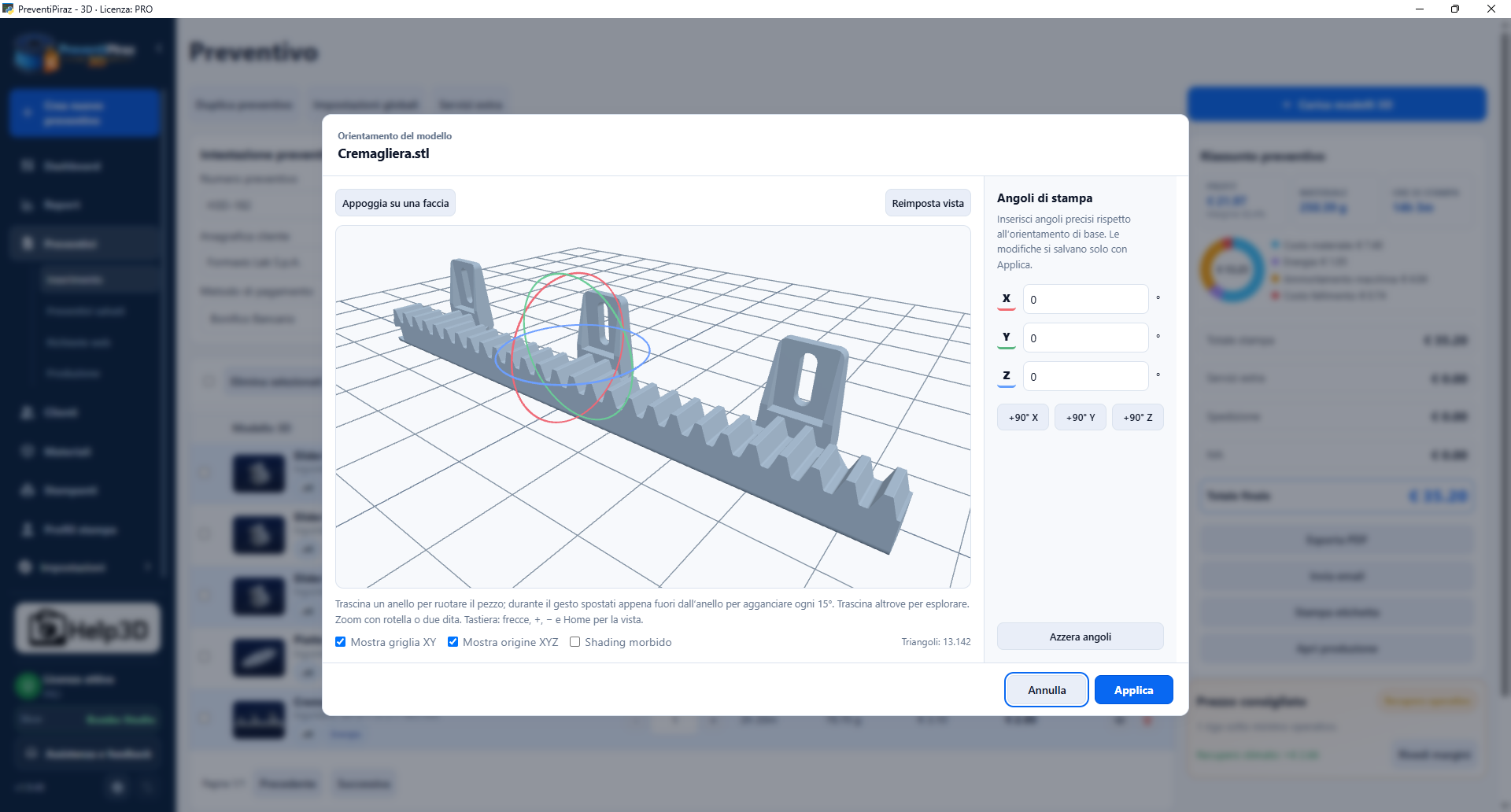
Load your models
Load STL, STEP, OBJ and 3MF files. Check the 3D preview and orient STL models by choosing the face to place on the build plate.
FEWER SPREADSHEETS. MORE TIME TO PRINT.
From a 3D file to a customer quote. Calculate costs and margins with your own slicing profiles and spend more time doing what you do best.
Already 7,938 downloads
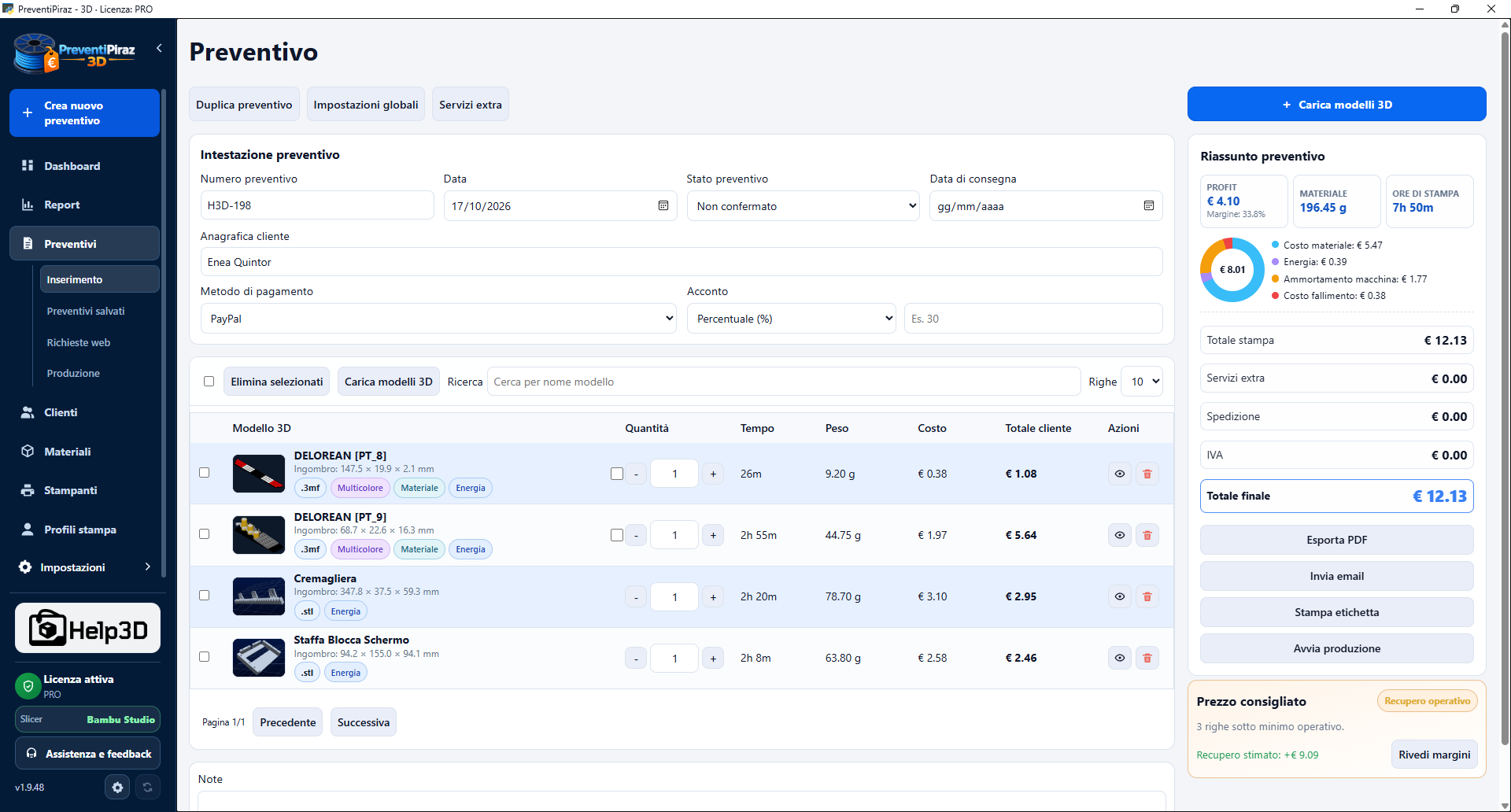
Models, costs and margins: your quote takes shape on a single screen.
WORKS WITH THE PROFILES YOU ALREADY USE
 Bambu Studio
 Orca Slicer
 PrusaSlicerCreality Print · coming soon
FROM YOUR FIRST FILE TO AN ORGANISED WORKFLOW
Do customers send you all kinds of files, leaving you to calculate costs and margins? PreventiPiraz 3D helps you organise the work without copying weights and printing times by hand every time.
Load STL, STEP, OBJ and 3MF files. Check the 3D preview and orient STL models by choosing the face to place on the build plate.
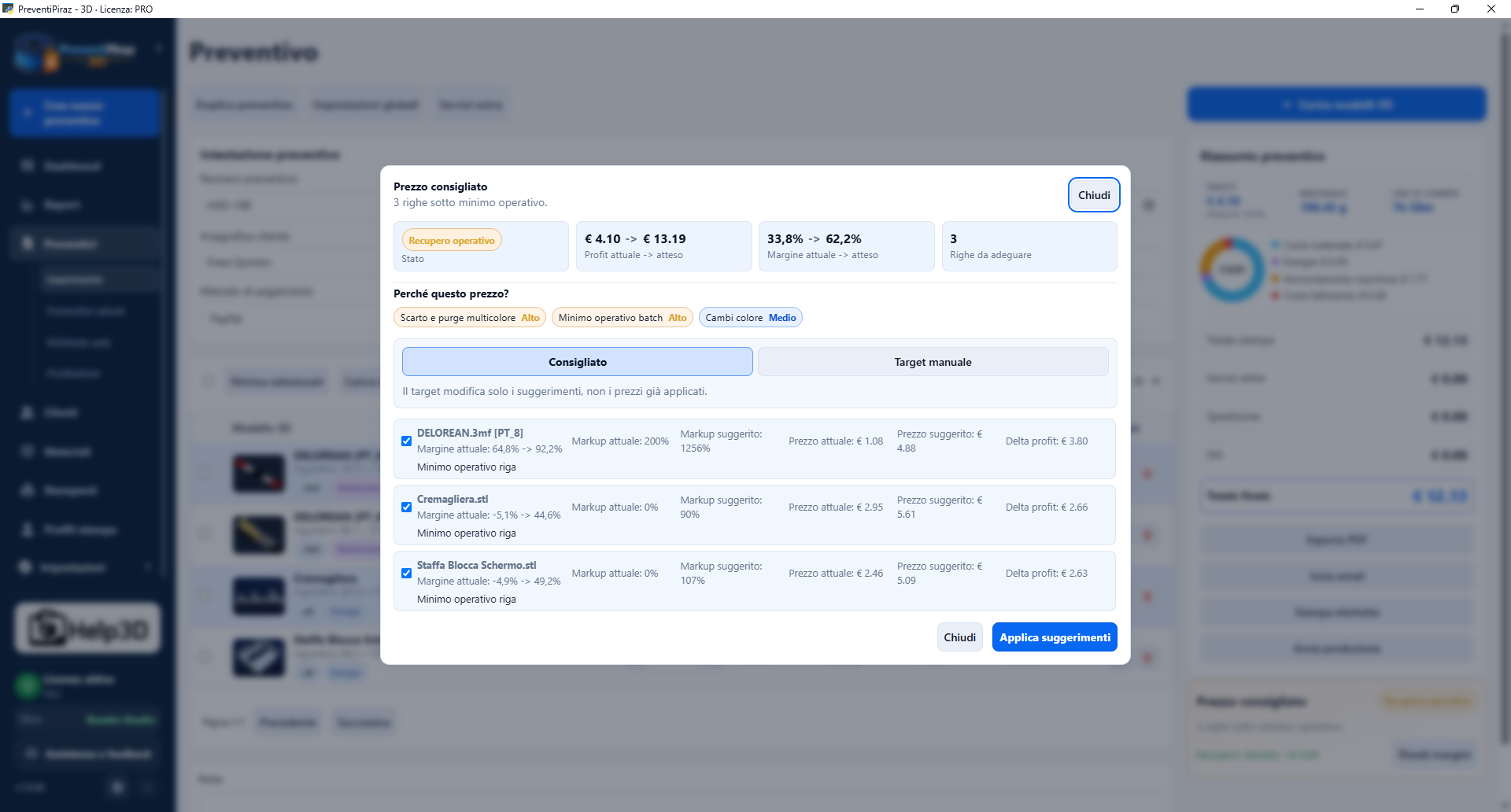
Use your printing profiles, account for materials, energy and extra services, and review the suggested price for the job.
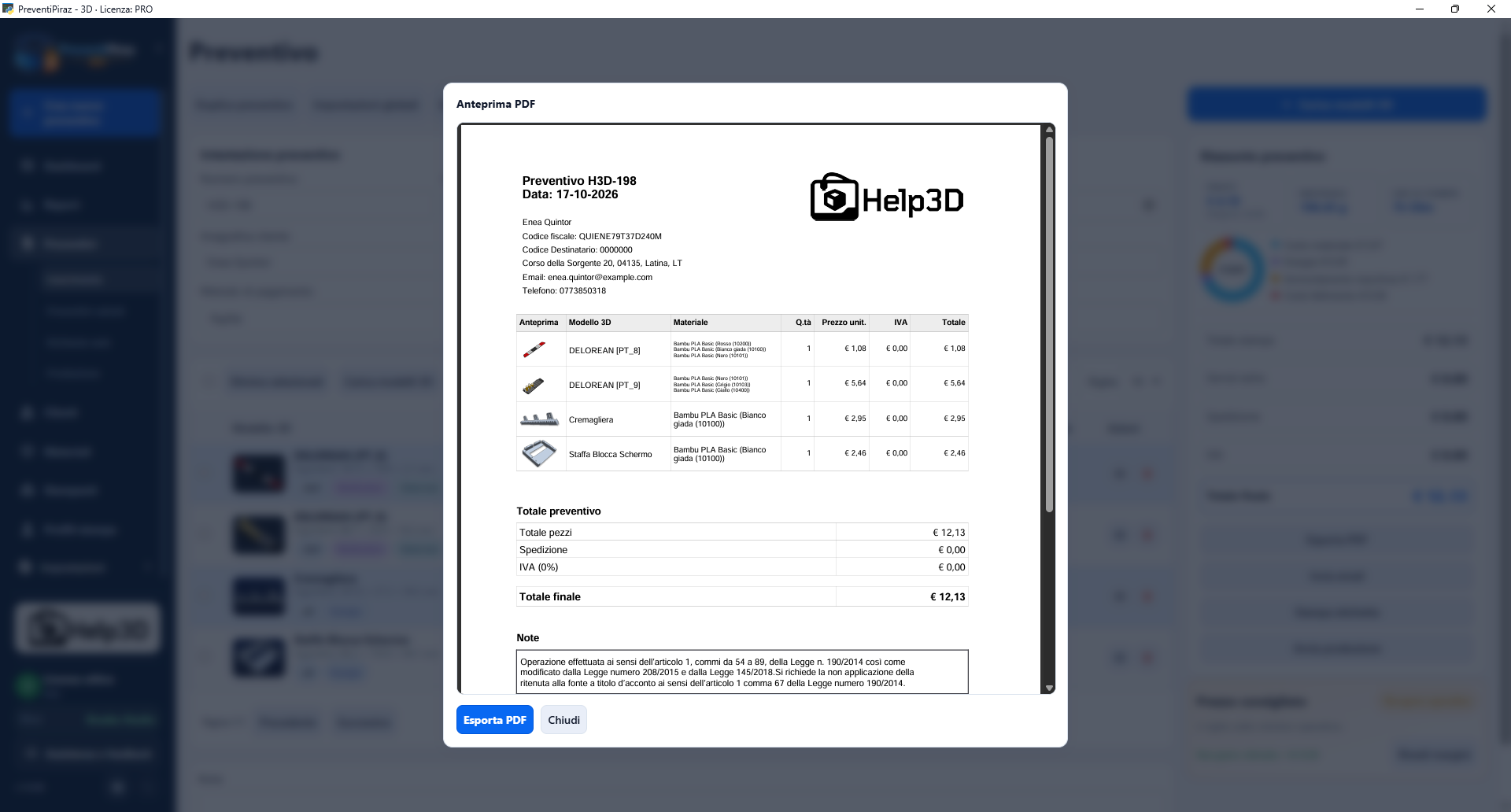
Check the PDF preview, present it to your customer and keep the quote in your archive.
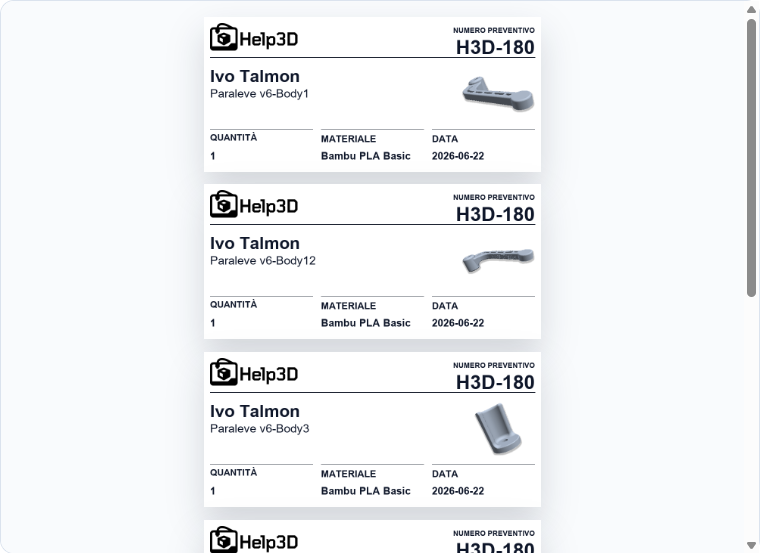
With the PRO plan, prepare labels with a model preview, quantity and material to identify the parts for each job.
MORE THAN A CALCULATOR
One place for quotes, customers and everyday work. Available features depend on your chosen plan.
Connect Bambu Studio, Orca Slicer and PrusaSlicer: start with the settings you know.
Materials, energy and custom margins. A suggested price helps you decide what to charge.
Load multiple files, select build plates and preview compatible multicolour 3MFs in 3D. Multicolour calculation is available on eligible plans.
A web page for receiving 3D files, quantities, preferred materials and customer contact details. Import requests into the program and prepare quotes with the PRO plan.
Customer records, saved quotes and material inventory. All connected to your work.
Models, customers and profiles are managed locally. Everyday work does not depend on a cloud service.
A dashboard and reports to track revenue, consumption and prints, with low-stock alerts for materials.
Fattura24 integration and tools for work orders and receipts, depending on your plan.
Shared Workspace, labels and production management with the PRO plan.
A CLOSER LOOK AT THE SOFTWARE
Explore 19 screens from the program: choose a feature and open the image to see the details.
FROM THE PEOPLE WHO USE IT
I've always believed that spending a little more can save you money, and I was right. I've only been using PreventiPiraz for a couple of hours and it's so easy to use. It's made me realise how much money I've lost over years of work. I've followed you for a long time and was looking for some help. I've tried many solutions, but honestly this software has taken my work to another level: fewer things to worry about and more time for printing and design. Thank you.
Excellent software. I've tried lots of free and paid programs, but nothing like this 🙂 It handles quotes, customers and inventory, even for a small home user like me. People used to question my prices when they asked me to print a part. Now I provide a quote and nobody argues. Even when printing occasionally on request, a professional appearance helps. I'll definitely renew my licence. The support is excellent too: I had two problems and both were solved that same evening, even though one was my own mistake 🙁 This program really helps, whether you're a large printing business or a small one.
Congratulations on the idea and the implementation! Such an impressive job. I was really excited to watch the video!
I can only congratulate you on all the work you've put into this! Unfortunately I haven't had much time for it yet, but learning it properly is already on my list. I think it's one of the most interesting and complete tools currently available.
Hi Piraz, congratulations on the enormous amount of work you've put into PreventiPiraz!
I'll keep this brief. We saw the launch of your quoting software and were amazed. So THANK YOU and congratulations on your work and the tool you've brought to the market.
I downloaded it as soon as you published it a few weeks ago, and it's really intuitive and straightforward. Thank you!
I've just used the program. What can I say? Hats off to someone who works with such professionalism and care. Huge respect, Piraz ❤️
An incredibly useful and complete program. I think the PRO version is well worth its price!
START FOR FREE. GROW WHEN YOU'RE READY.
Start with FREE. Move to LITE or PRO when your work needs more room and more tools.
Get started with no commitment.
For individuals who need more.
For businesses and print services.
* A Lifetime licence does not expire and includes updates within the major version purchased. Moving to a new major version requires a discounted upgrade licence.
Each licence can be activated on one computer.
Scroll the table to compare plans
| Feature | FREE | LITE | PRO |
|---|---|---|---|
| Support | Messaging | Messaging | Live chat |
| Automatic price calculation | ✓ | ✓ | ✓ |
| PDF export | With watermark | ✓ | ✓ |
| Depreciation cost calculation | — | — | ✓ |
| Advanced reports | — | — | ✓ |
| Email quotes | — | ✓ | ✓ |
| Web page for quote requests | — | — | ✓ |
| Multicolour calculation | — | ✓ | ✓ |
| Quotes | 5 | 30 | Unlimited |
| Customers | 5 | 30 | Unlimited |
| Importable files | 5 | 30 | Unlimited |
| Extra services | 2 | Unlimited | Unlimited |
| Printers | 1 | 3 | Unlimited |
| Materials | 2 | 5 | Unlimited |
| Printing profiles | 2 | 5 | Unlimited |
| Work orders | — | ✓ | ✓ |
| Advanced energy calculation | — | ✓ | ✓ |
| Discount tables | — | — | ✓ |
| Business software integration | — | — | ✓ |
| Shared Workspace | — | — | ✓ |
| Label printing | — | — | ✓ |
| Production management | — | — | ✓ |
HAVE A QUESTION?
Yes. The FREE edition is available immediately, with no registration or credit card. You can also try PRO for 7 days when you first start the program.
A warning may relate to file recognition or signing. Always download from official Help3D links and contact support to check your case. Do not disable your system's protections to continue.
Yes. Multicolour 3MFs generated by Bambu Studio are supported on eligible plans. Full Orca Slicer multicolour support is planned for the future. 3MFs from other slicers may differ: opening and saving them again in Bambu Studio can resolve many recognition issues.
It does not expire and includes updates within the major version purchased. A licence for version 1.x includes 1.x updates; a new major version, such as 2.x, requires a discounted upgrade licence.
The software returns to the FREE edition and its limits. Existing saved quotes remain available to view. Renewing your licence restores the benefits of your purchased plan.
A licence is valid for one computer. You need additional licences for additional workstations.
Contact Help3D to request a new activation, explaining that you reformatted your system. The previous activation will be revoked.
It is also available in English. You can find the Italian and English guides in the download section.
PreventiPiraz 3D works with Bambu Studio, Orca Slicer and PrusaSlicer. Creality Print support is coming soon.
Calculations start from slicing with your own profiles. Results may differ from actual printer consumption, for example because of initial calibration steps that the quoting software does not include.
Fattura24 integration is supported and available with the PRO plan.
With the PRO plan you can work across multiple computers using a shared folder: on a local network, NAS or through services such as OneDrive, Dropbox and Drive. It does not require a central server.
PREPARE YOUR NEXT QUOTE HERE.
The FREE edition is ready to use. Choose the download for your computer and get started on your next job.
Already 7,938 downloads
Need a hand? Contact me